

Let's be honest — the Excel budget you built three months ago probably hasn't been touched since. Spreadsheets require discipline, constant manual entry, and a surprising amount of formula maintenance. For freelancers and solopreneurs juggling clients, invoices, and irregular income, that's just not realistic.
Danapani was built specifically for people like you. Not another generic money app. A real-time financial command center designed for the way independent professionals actually earn and spend.
The Problem with Spreadsheets in 2026
Traditional spreadsheets were designed for accountants in controlled financial environments — not for a graphic designer managing five retainer clients and a side Shopify store. Here's what they fail at:
- Zero automation: Every transaction requires a manual entry. Miss a week and your data is useless.
- No real-time view: You only know your financial status when you sit down and update it — which is rarely when you actually need to make a decision.
- No multi-account logic: Tracking a business checking account, a personal savings account, and a credit card simultaneously in a spreadsheet is a nightmare of tab-switching and formula errors.
What Danapani Does Differently
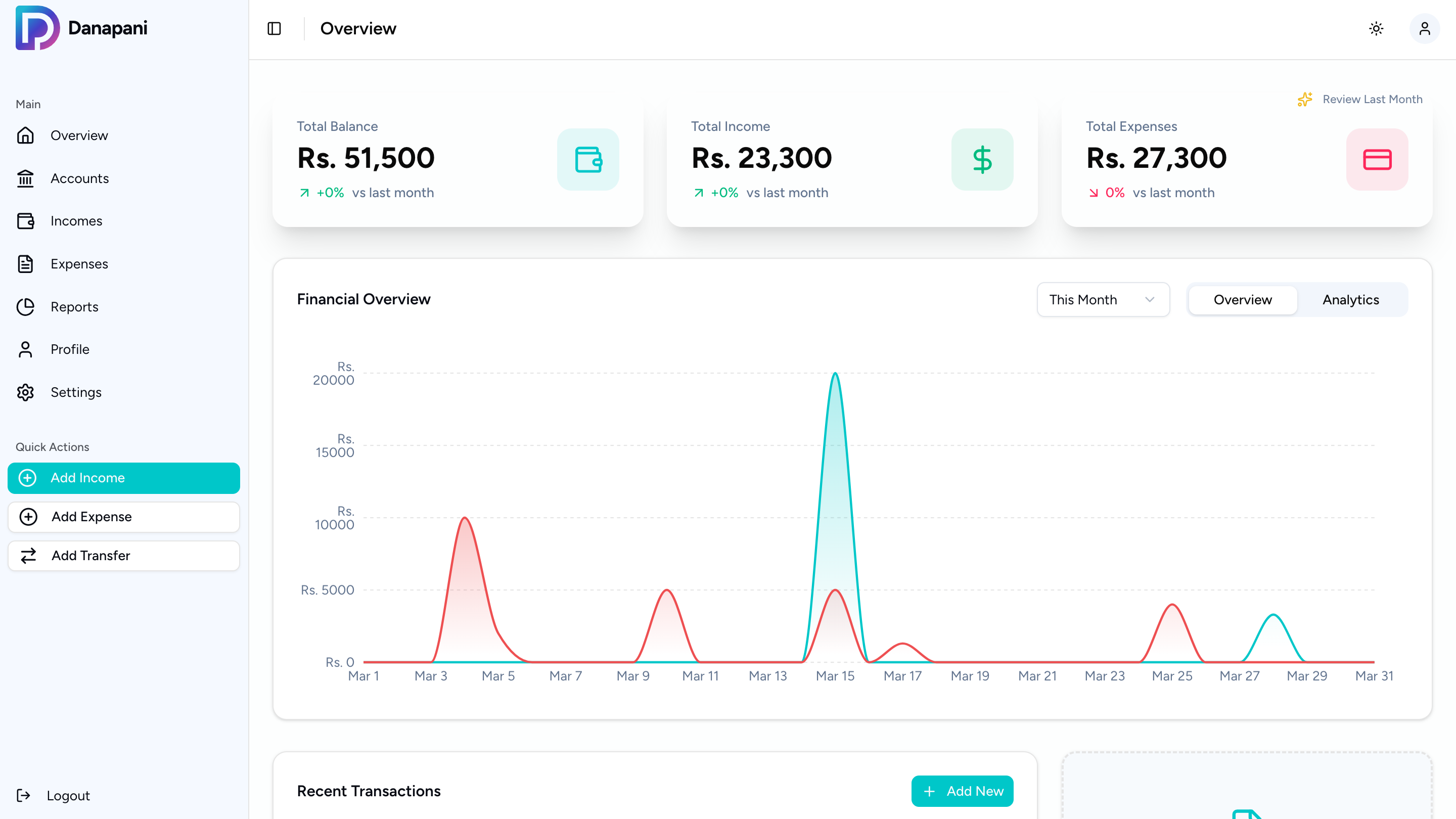
Danapani's overview dashboard is your financial command center. The moment you log in, you see three critical KPIs at a glance: your Total Balance across all accounts, your Monthly Spend so far, and your Pending Incomes — so you always know exactly what's expected and what's already arrived.
| Feature | Spreadsheets | Danapani |
|---|---|---|
| Transaction Entry | Manual, error-prone | Quick-add modal or bulk CSV import |
| Financial Visualization | Build charts yourself | Interactive income & spending charts, built-in |
| Multi-Account View | Not supported natively | Unified view across all wallets & bank accounts |
| Tax Reporting | Manual export, messy formatting | Categorized CSVs ready for your accountant |
| Privacy | Stored wherever you store your files | Local-first, encrypted, never sold to advertisers |
The Dashboard That Actually Works While You Work
Danapani's Recent Transactions panel and interactive spending charts update as you add data — no refresh required, no formulas to drag down. You can add an expense from any screen using the global quick-entry modal, making it the fastest way to log that client lunch before you forget.
"Your financial clarity shouldn't depend on how disciplined you are about opening a spreadsheet. It should just be there, every time you check in."
Ready to Make the Switch?
If your current finance system relies on your own memory more than actual data, it's time for an upgrade. Danapani gives freelancers and solopreneurs a real financial dashboard — not a glorified table. Once you're tracking digitally, the next step is putting every dollar to work with zero-based budgeting.